Verification Selection
Verification Selection
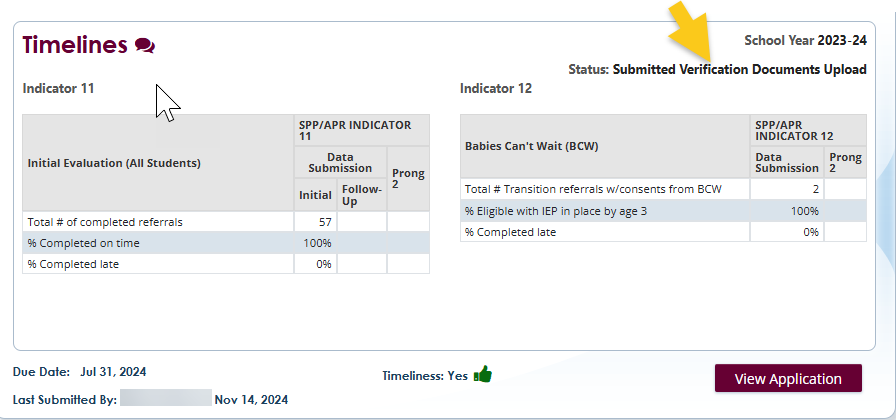
LEAs are required to report to the GaDOE their performance in meeting timelines Indicator 11 (Initial Eligibility/Child Find) and Indicator 12 (Early Childhood Transition). To ensure timeline data are accurate, LEAs that report 100% compliance are randomly selected to complete a verification process.
Screenshot of LEAs reporting 100% for Timelines

If selected, Special Education Directors are notified in writing that they have been selected to participate with instructions to upload child-specific data for children included in Indicator 11 submission from the previous year.
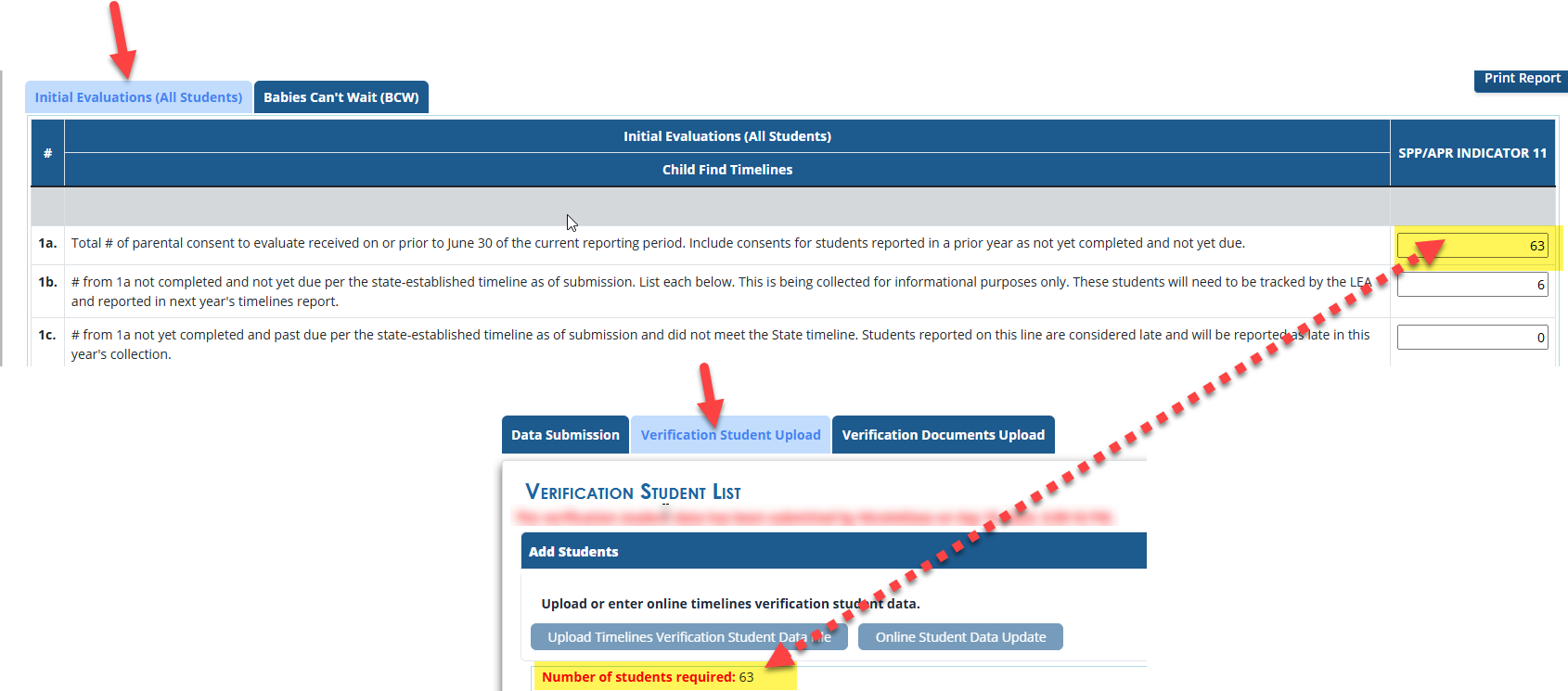
LEAs selected must upload information on all students reported in the previous Indicator 11 timeline submission. If the LEA reported receiving sixty-three (63) consents to evaluate (of line 1a of Indicator 11 submission) for the prior school year, then the LEA must submit sixty-three (63) names and GTIDs.
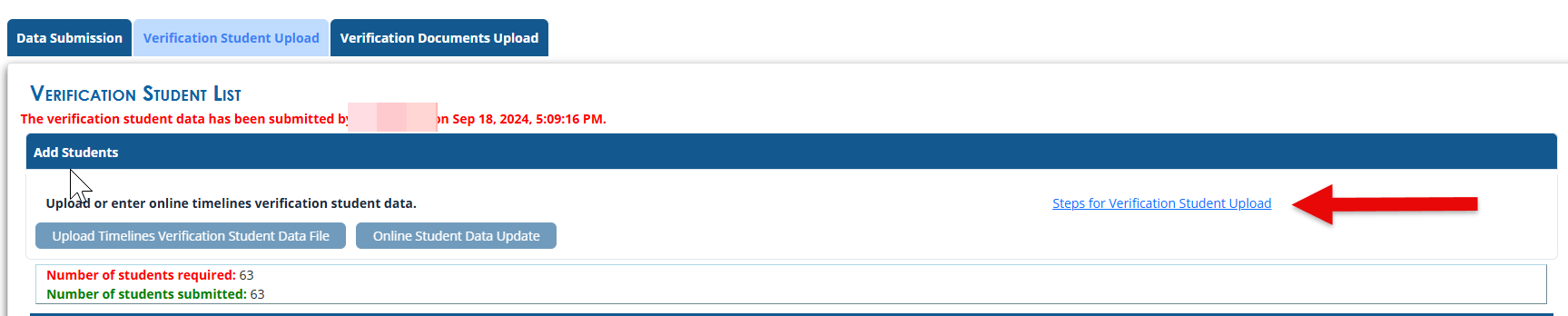
A link to Steps for Verification Student Upload is available on the Verification Student Upload tab. The help document shows how to upload students in a Excel or individually.
Screenshot of Verification Students required in upload from 1a Indicator 11 submission
Screenshot of Steps for Verification Upload help document
Next, of the sixty-three (63), a random number of students will be selected for further verification. The number of students selected will be based on the size of the LEA. No more than eight (8) students will be selected.
Screenshot of Verification Document Upload Tab

The LEA will submit the following documents for each student:
- Documents from the eligibility meeting must contain signed consent to evaluate, signature page, date of the meeting, and the area of eligibility.
- Select # initial eligibilities from the student names listed in the Verification Documents upload tab in the portal.
- Select # initial IEPs implemented before the preschool students’ third birthday from the student names listed in the Verification documents Upload Tab in the portal.
On the Verification Documents Upload tab, there is a help document – Steps for Verification Document Upload
Screenshot of Uploaded Student Files
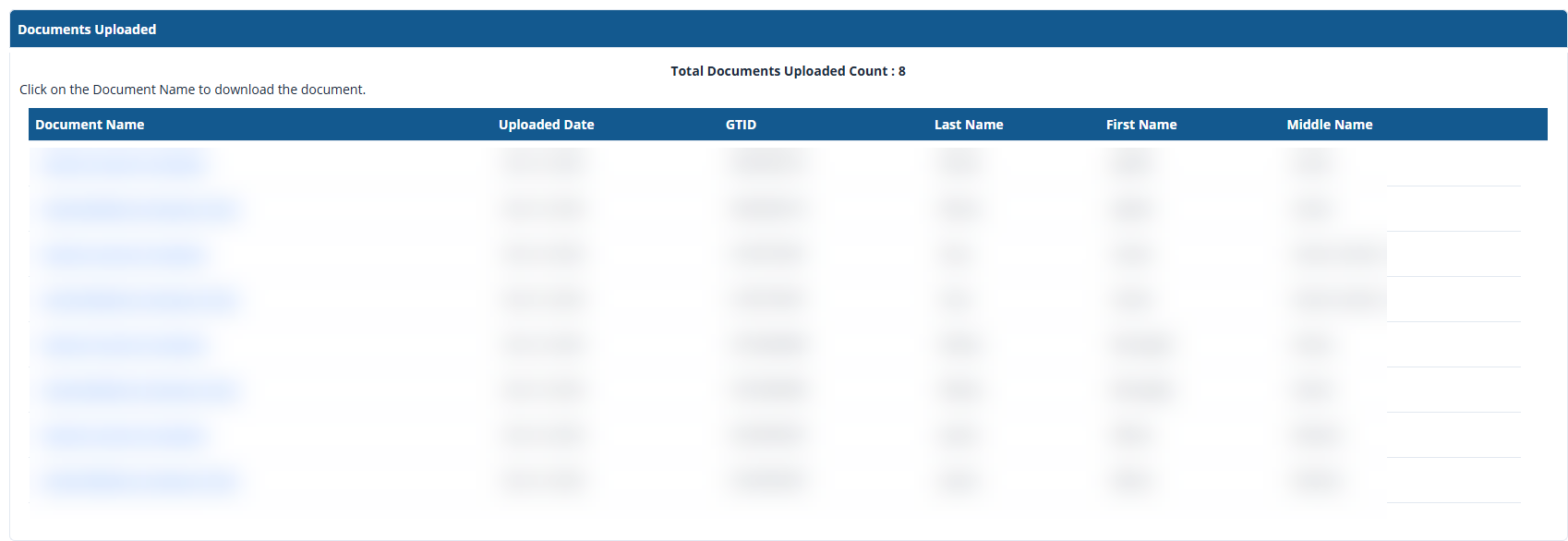
The application includes edit checks that prevent LEAs from including too few or too many students in the verification process.
If a LEA is found to be noncompliant through the Verification process, they will follow the same correction of individual noncompliance (Prong 1), and systemic compliance (Prong 2) activities required for LEAs found to be noncompliant on Timely Initial Evaluation reporting.
Screenshot of a Selected LEA
GaDOE will review the uploaded files using the Timelines Verification Documentation Form. LEAs will be notified of the results.
GaDOE Support
Please contact your District Liaison (DL) or Jessica Presley at (jessica.presley@doe.k12.ga.us) if you need additional guidance or support regarding the Timelines. GaDOE is available to provide additional technical assistance and support to increase understanding and compliance.
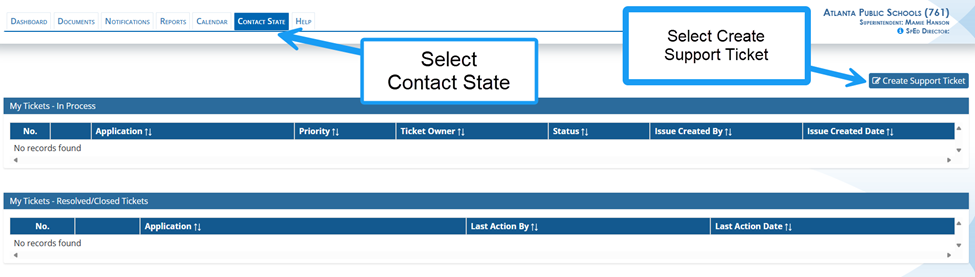
If you have questions regarding data entry in the Timelines Application, please submit a ticket in the SE application Contact State tab. GaDOE staff will review the ticket and respond to the ticket in the application.
LEAs may also contact GO-IEP Data Team or Dominique Donaldson at domininique.donaldson@doe.k12.ga.us or Carol Sprague at carol.sprague@doe.k12.ga.us if you have any questions about how the application functions and technical issues.