Student Set-Up
Assigning a student to a team lead is the first step to accessing the student's SST record inside GO MTSS/SST.
To assign a student to a team lead, Admins must use the Student Search page. System Admins can search for all students in the system and assign them to team leads. School Admins have the same privileges but only for the school(s) to which they are assigned in GO MTSS/SST. School assignments in GO MTSS/SST are managed on the user list page.
The process of assigning a student to a team lead consists of 3 simple steps: (1) student search, (2) locate team lead, and (3) assign a team lead.
Search for Student
1.Using the Search Student page, type the student's name and/or GTID into the Personal Information section and click the "Lookup Student" link. Partial name is often sufficient for search.
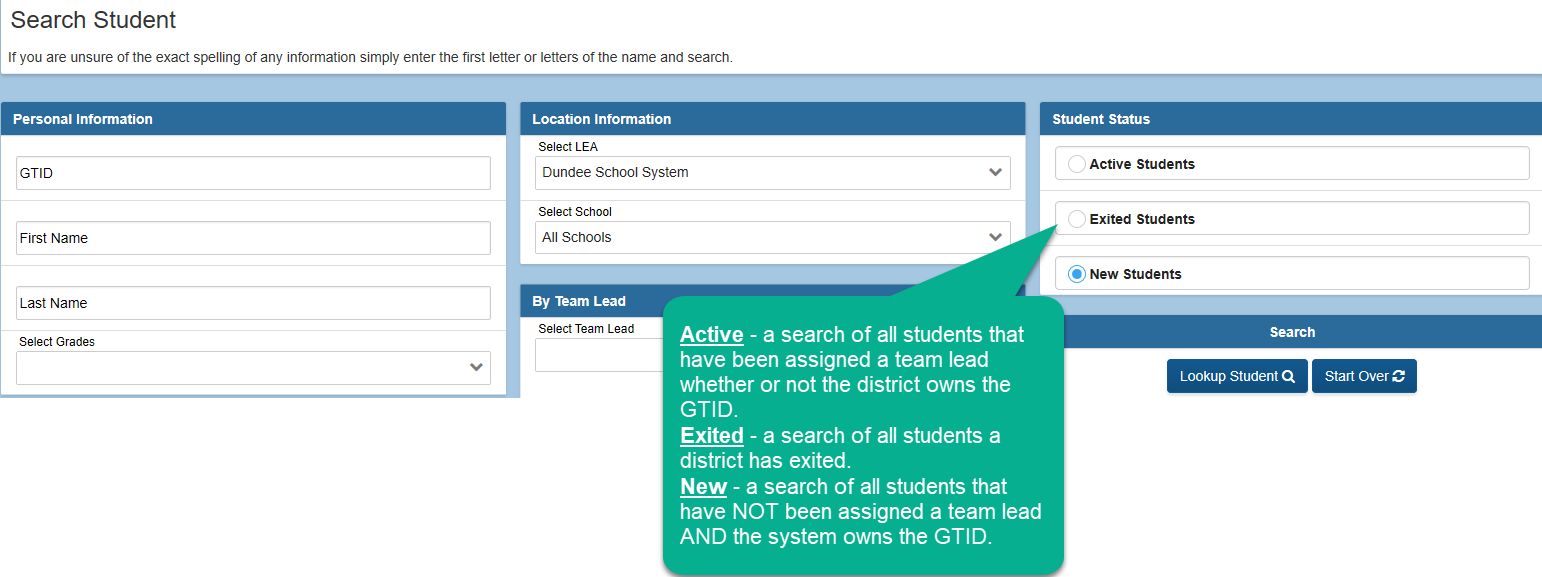
A list of students will be displayed at the bottom of the page matching the search criteria. Names with the blue figure and a green plus sign have not been assigned to a team lead. These students are considered New.
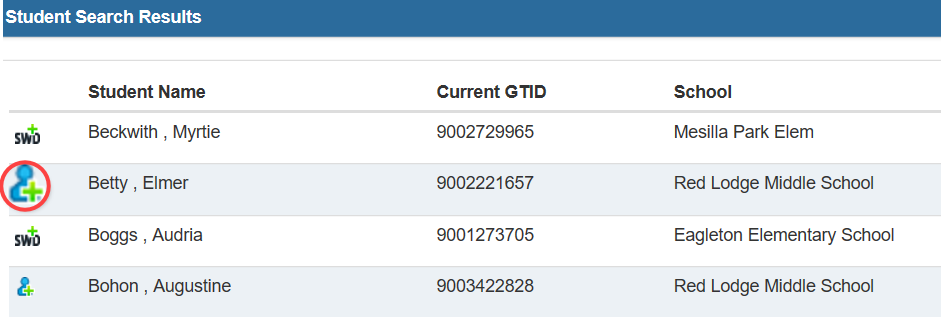
Names with the the two people have been assigned to a team lead. These students are considered Active.
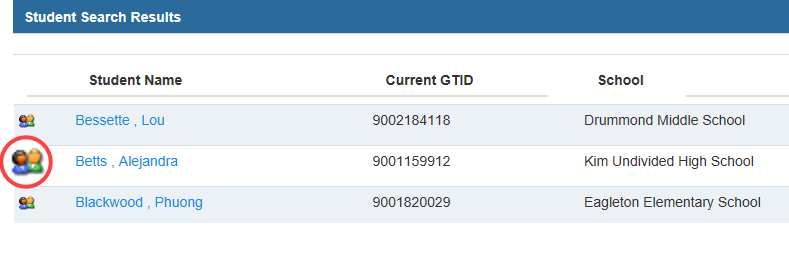
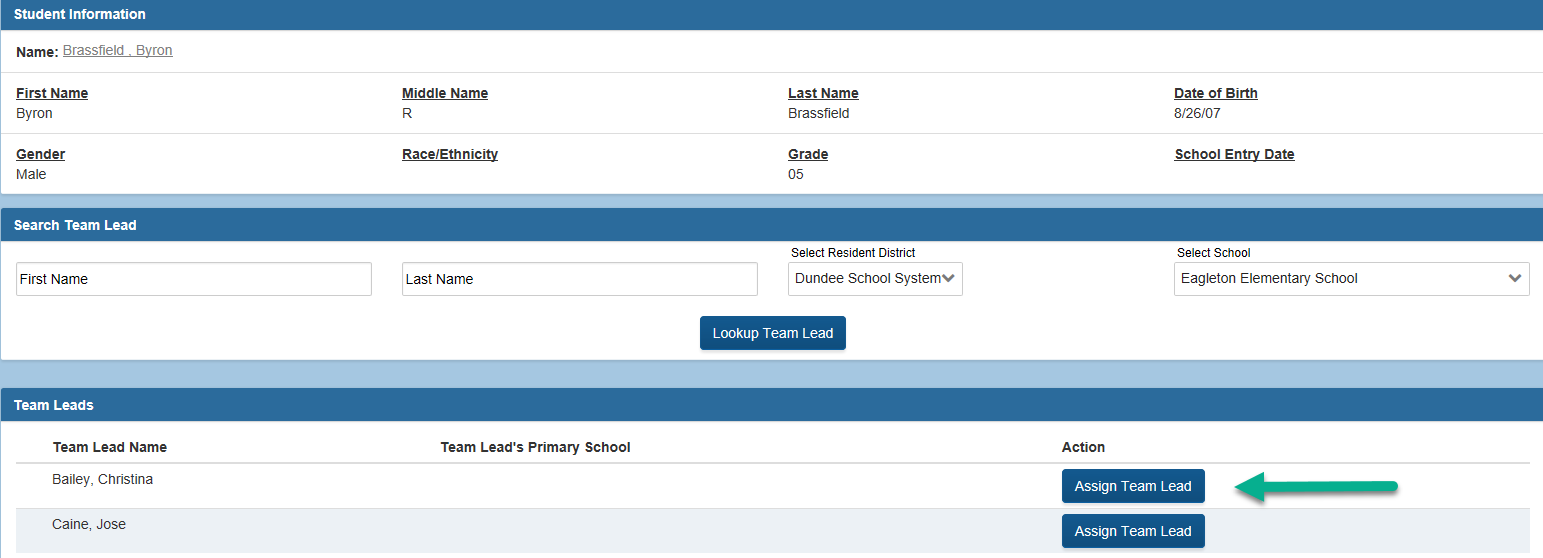
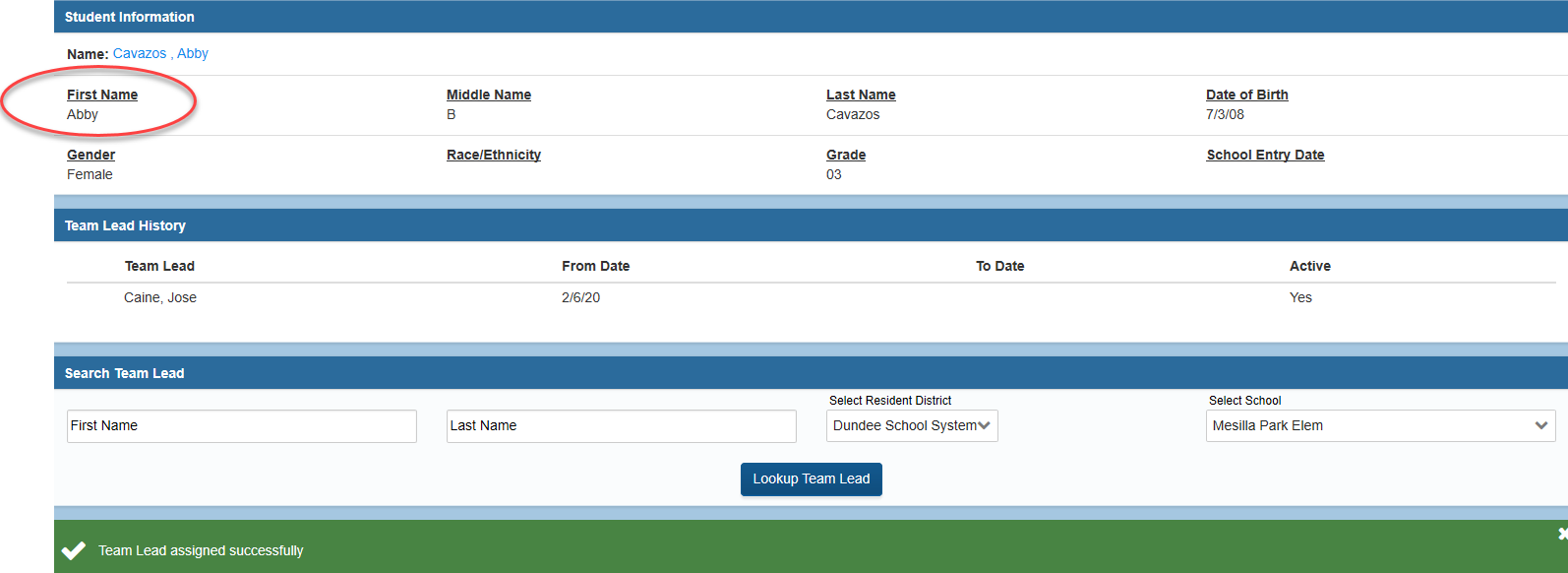
Click the icon to left of the student's name in order to assign/change a team lead. This will take you to the Assign Team Lead page. The Assign Team Lead page consists of the following sections: Student Information, Search Team Lead, and Team Leads.
Locate Team Lead
2. In the Team Lead section, there will be a list of names. This list is based on the selections in the Search Team section. Use the Search Team Lead section to adjust the list. The school filter can be changed. System admins will have the option to choose ALL Schools. Clicking on the Lookup Team Lead link will allow the list to be filtered to look for specific users.
Assign Team Lead
3. Click the Assign button next to the name of the team lead that they want to select.
A message will appear when the team lead has been successfully assigned to the student. The student's name becomes a link. Click on the student's name to access the student's SST record.
If a student has not yet enrolled in your district and does not have a GTID number (such as a BCW referral), the Student Information System specialist for the district can obtain this. They should be given the following information on the student:
Full name
DOB
Address
School (use the one based on the student address)
Gender
Ethnicity
Social Security number
For any questions on GTID claims, please contact Patricha Miller at pmiller@doe.k12.ga.us.