Correction of Individual Compliance (Prong 1)
Correction of Isolated Findings of Noncompliance (Prong 1)
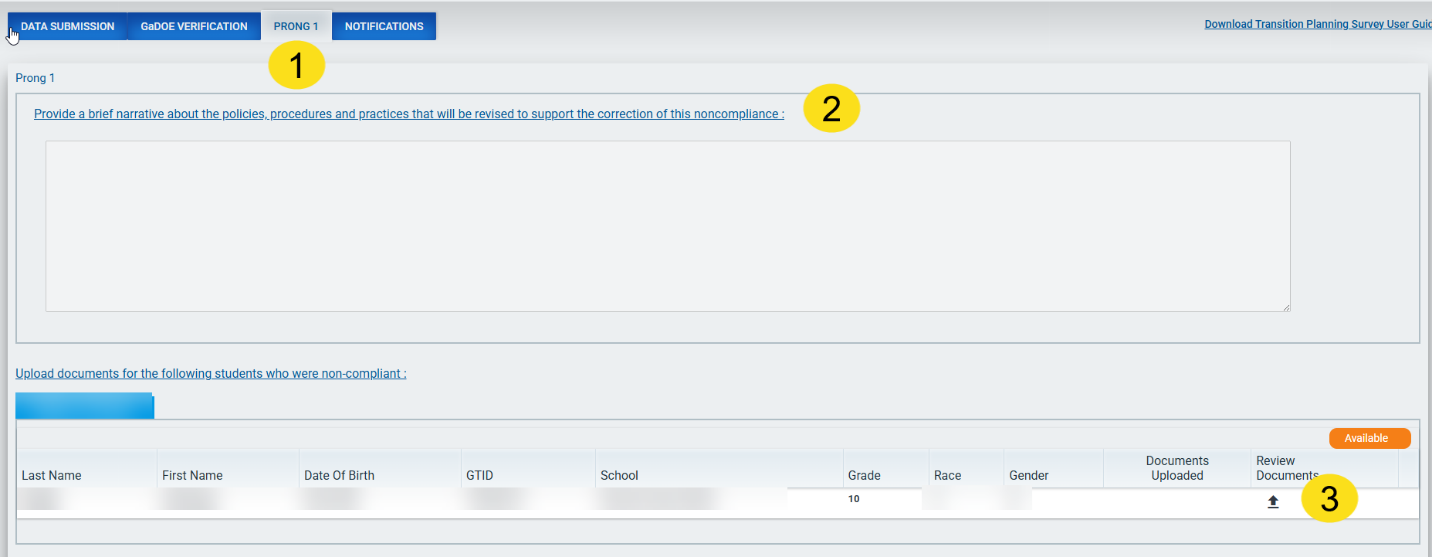
LEAs determined to be noncompliant will be contacted by phone/email to inform, discuss, and offer technical assistance regarding noncompliance. A letter of noncompliance will be sent through the SE Application Dashboard to the Superintendent and Special Education Director. A Corrective Action Plan (CAP) will be required following noncompliant determination during the Verification process. The LEA must complete the following in Prong 1 (1) of the dashboard:
- Provide a brief narrative about the policies, procedures, and practices that will be revised to support the correction of this noncompliance. (2)
- Correct the transition plans with isolated findings and submit the corrected plans for review through the Secondary Transition application in Prong 1. (3)
- GaDOE will review and confirm that corrections have been made and provide necessary technical assistance until compliance is achieved.
Screenshot of Prong 1: Correction of Noncompliance
Error Messages
Error messages will appear if the narrative is not entered or corrected documents are not uploaded.
- Please enter a brief narrative about the policies, procedures, and practices.
- Please upload documents for all students with status “Available’ or ‘Noncompliant.’
After the narrative and corrected documents for all students have been uploaded and submitted, the status changes to Verification.
Screenshot of Narrative submitted
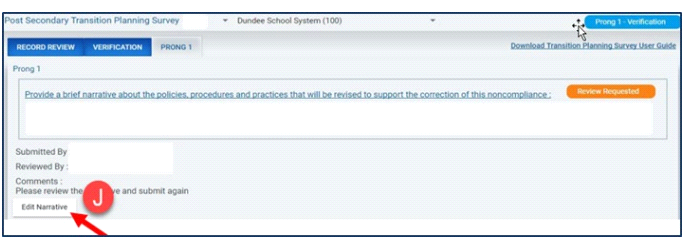
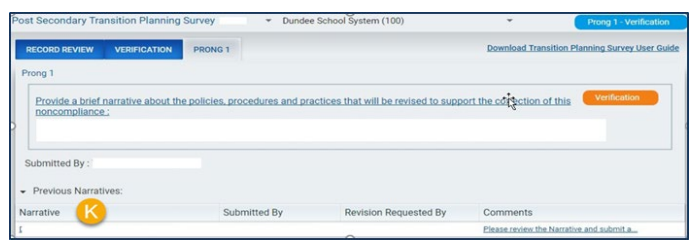
If a revision of the narrative is requested, the LEA must edit and resubmit it. After selecting Edit Narrative (J), a pop-up appears where the user can edit the narrative, save, and submit. Previous narratives are available for viewing (K).
Screenshot of Editing Narrative
The previous narratives (K) are available in a drop down.
Screenshot of Previous Narratives
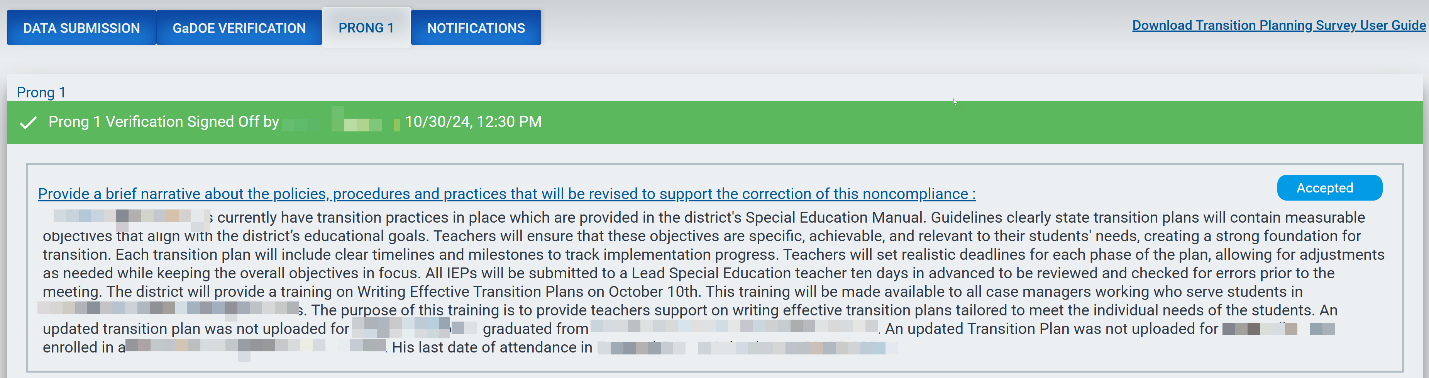
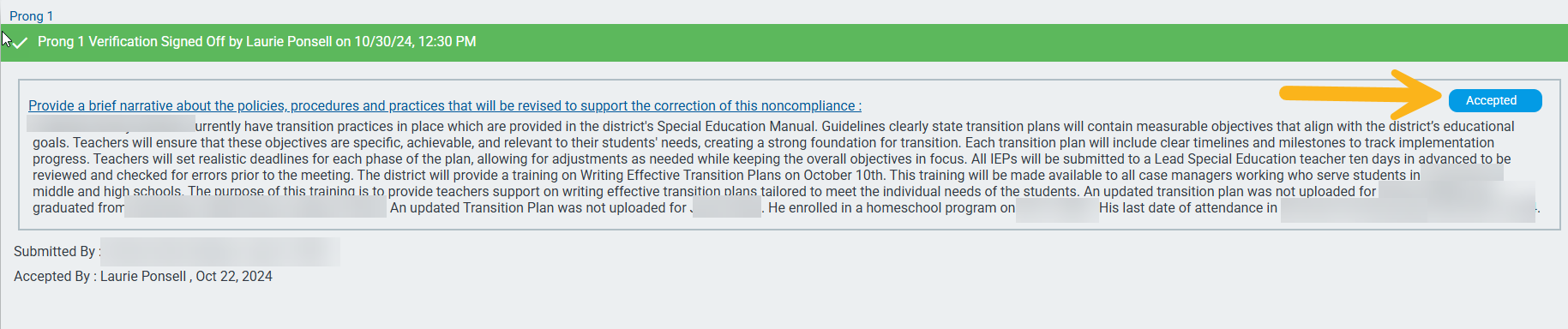
The status of the narrative changes to Accepted once the GaDOE’s Results Driven Accountability (RDA) Unit accepts the narrative.
Screenshot of Accepted Narrative
GaDOE reviews the corrected transition plan(s) and updates the status of the plan(s) in the application to Compliant or Noncompliant. When all corrected transition plans meet regulatory requirements, the individual students will be marked as Compliant (P) for the correction of individual noncompliance (Prong 1).
Screenshot of Compliant Plan

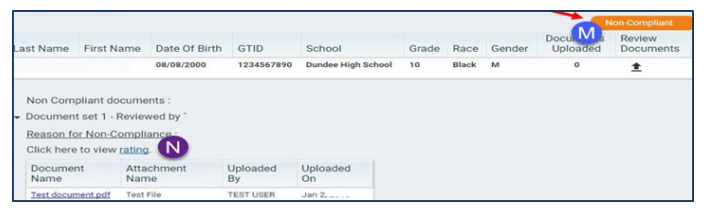
If a student’s transition plan is Noncompliant (M), the district will be required to correct the noncompliant transition plan and resubmit it until the plan is 100% compliant. The reason for Noncompliance (N) is available under Noncompliant documents. The rating for that student can be seen by selecting the rating link.
Screenshot of Noncompliant plan
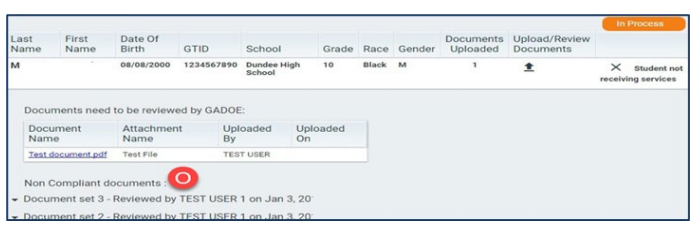
The history of Noncompliant Documents (O) is available and documents under each set can be seen by selecting the drop-down icon next to each document.
Screenshot of Noncompliant Documents for a Student
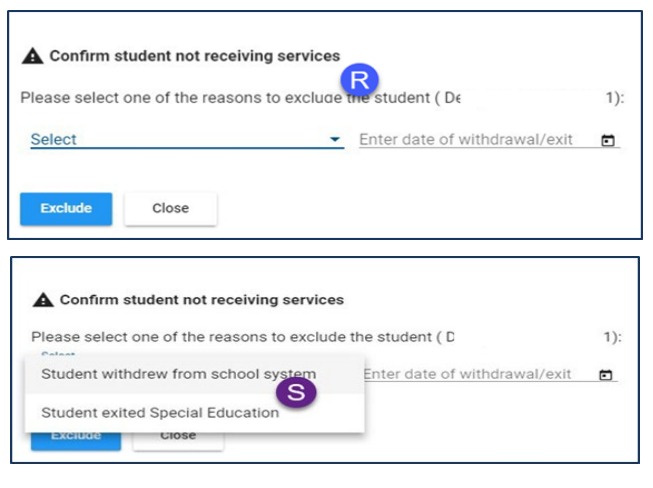
If a student on your list has withdrawn or exited special education, select Student not receiving services (Q) and a pop-up opens (R). Select one of the options available from the drop-down box (S).
Screenshot of Student no longer receiving services

Screenshot of Confirming Student No Longer Receiving Services
If a student is withdrawn, the status changes and the reason for withdrawal is shown below. Once GaDOE acknowledges the withdrawn student, the status changes to Withdrawal Acknowledged.
Screenshot of Withdrawal Acknowledged

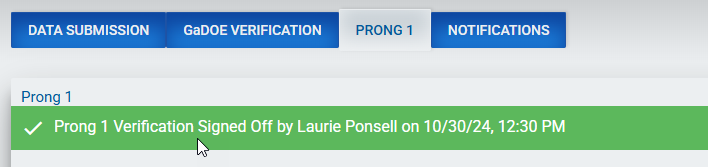
A success message is shown when all students are compliant, and the narrative is accepted.
Screenshot of Completed Prong 1 Message