Contacting GaDOE- Help Ticket
Contact GaDOE
If the LEA has questions regarding the Overdue Eligibility and IEP process, please contact your District Liaison.
If the LEA has questions regarding data entry in the Overdue Eligibility and IEP application, please submit a ticket in the SE application using the Contact State tab. GaDOE staff will review the ticket and respond in the ticket application. To submit your ticket, scroll down and select advance to IT. Then monitor the application for a response.
Screenshot of Creating a Support Ticket in SE Application Dashboard
Steps
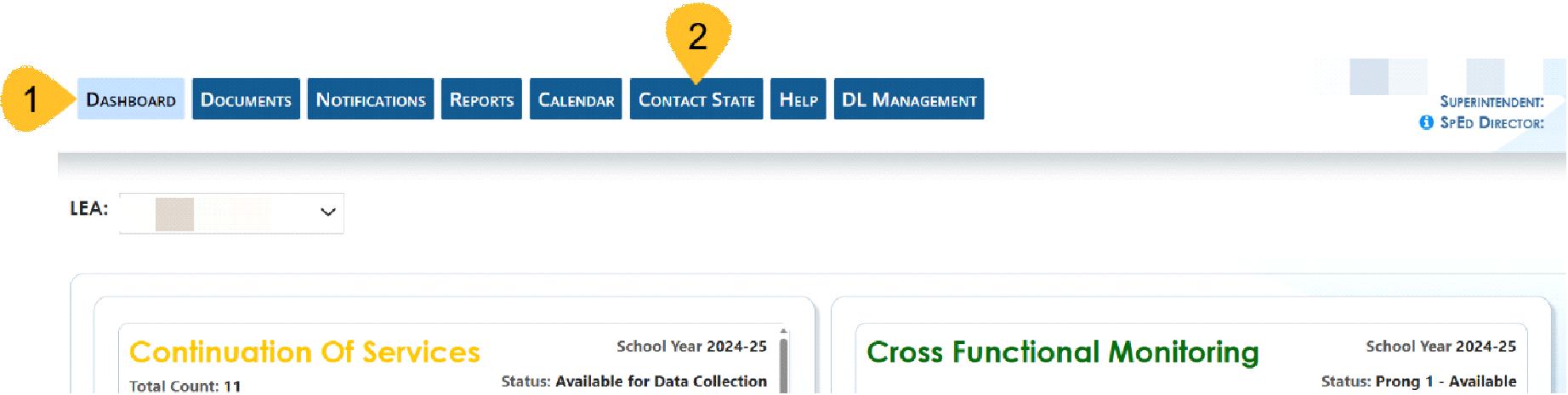
- Log into SE Application Dashboard
- Select Contact State
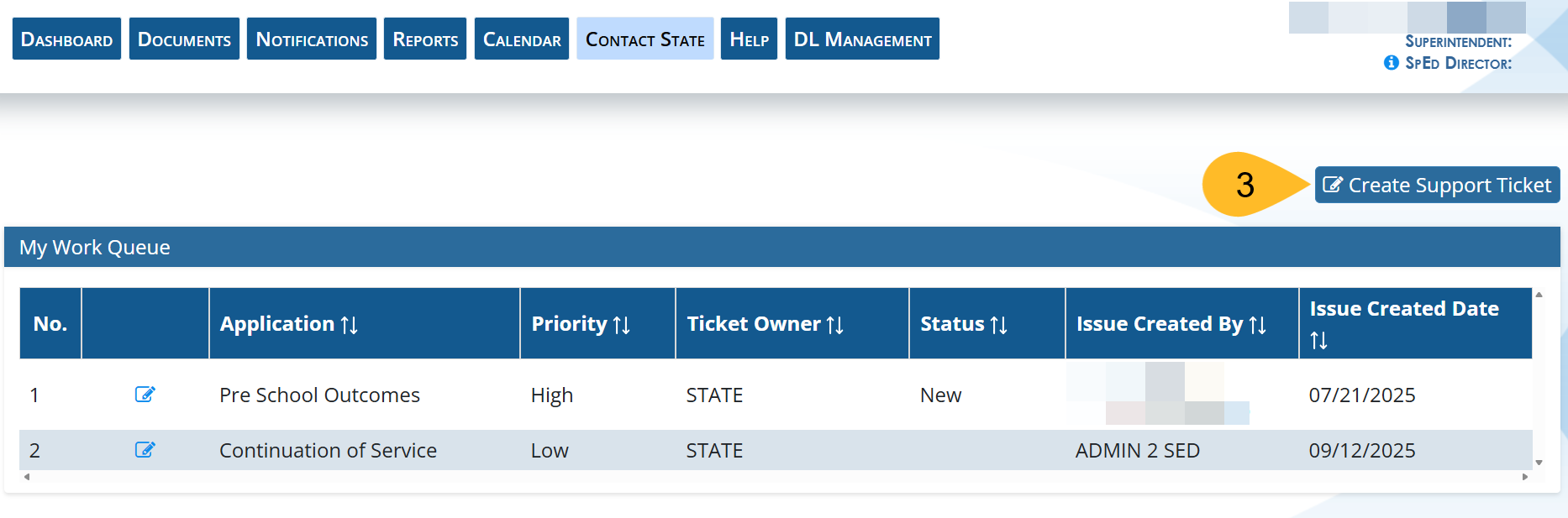
- Select Create Support Ticket
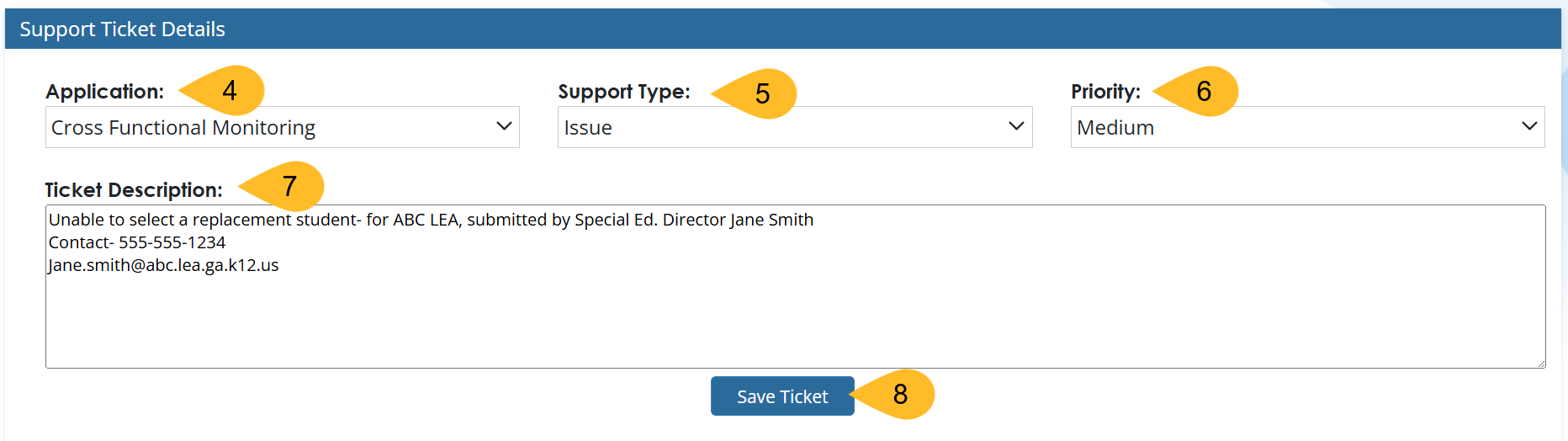
- Select the applicable application
- Select Support Type
- Application Help, Issue, Submitting Documents, Others
- Select Priority
- Low, Medium, High, Critical
- Write a description of the support needed. Please include LEA Name, person completing the ticket and contact information.
- Select Save Ticket
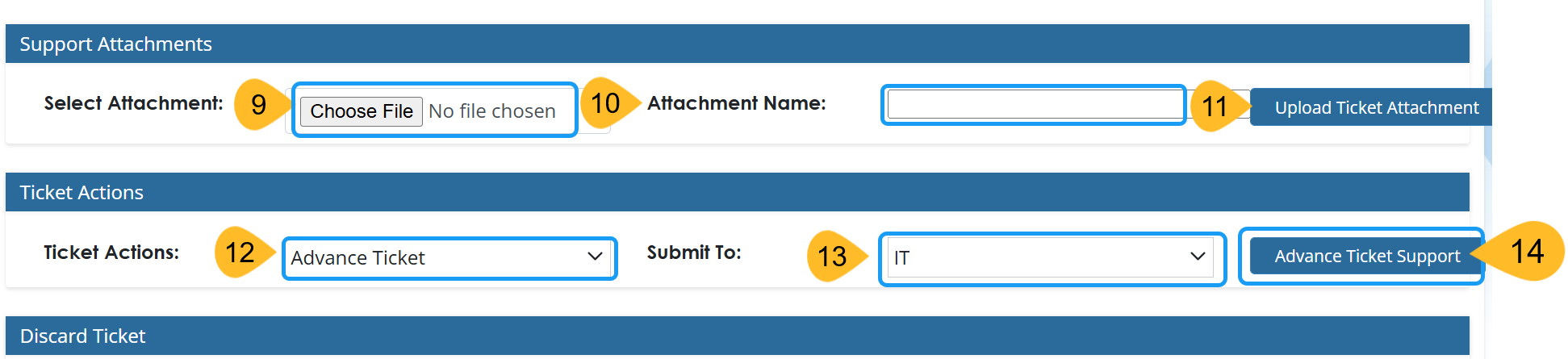
- Add any attachments such as screenshots or document that needs to be uploaded.
- Name the file
- Select Upload ticket attachment
- Select Ticket Action- Advance Ticket (If you do not select advance ticket to IT, we will not receive it. The ticket will stay in your “My Work Queue” folder.)
- Submit to IT
- Select Advance Ticket Support