Data Entry Guidance for GO-IEP LEAs
Data Entry Guidance for GO-IEP LEAs
GO-IEP LEAs are able to submit their Timelines data directly from the GO-IEP application to the GaDOE Timelines application. Below is an overview of the process. This is included because the first steps needed to submit your Timeline data occur inside GO-IEP and not in the Timelines application. The data needed is pulled in once the LEA completes the delay explanations and validates.
- Enter the GO-IEP application.
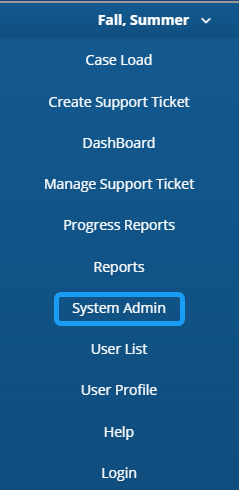
- Go to the System Admin tab (must be provisioned as a system administrator)
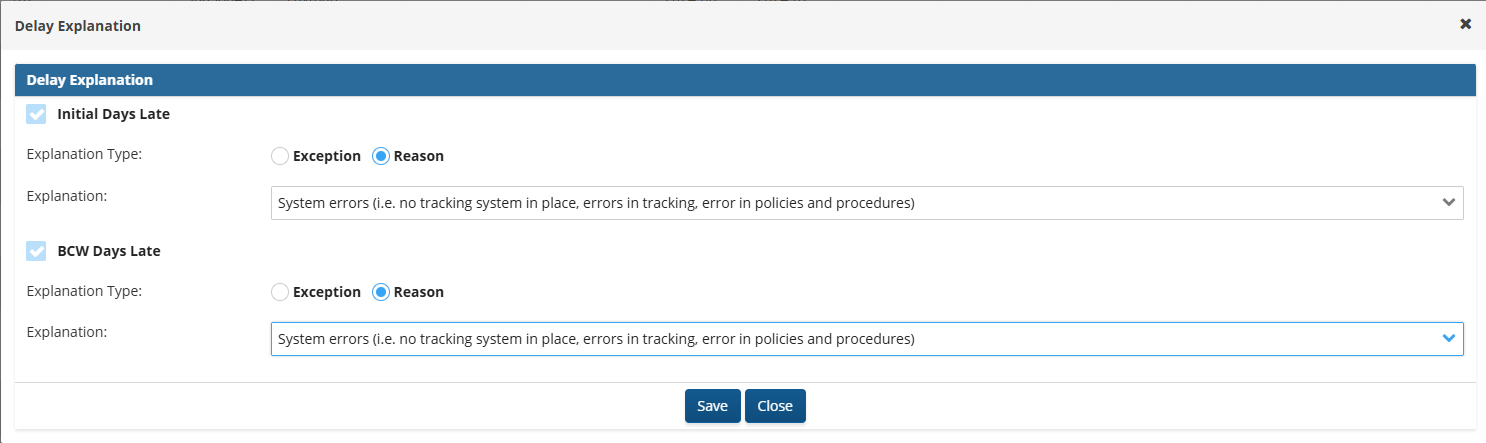
- Select a delay explanation or reason for any overdue evaluation or transition.
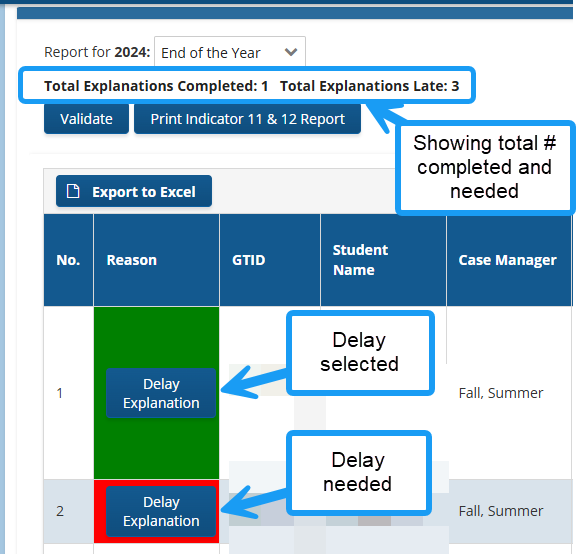
3a. Delay reason selected.
- All BCW referrals are also considered an initial referral.
- BCW evaluations impact both the BCW and initial referral timelines.
Screenshot of Delay Explanation
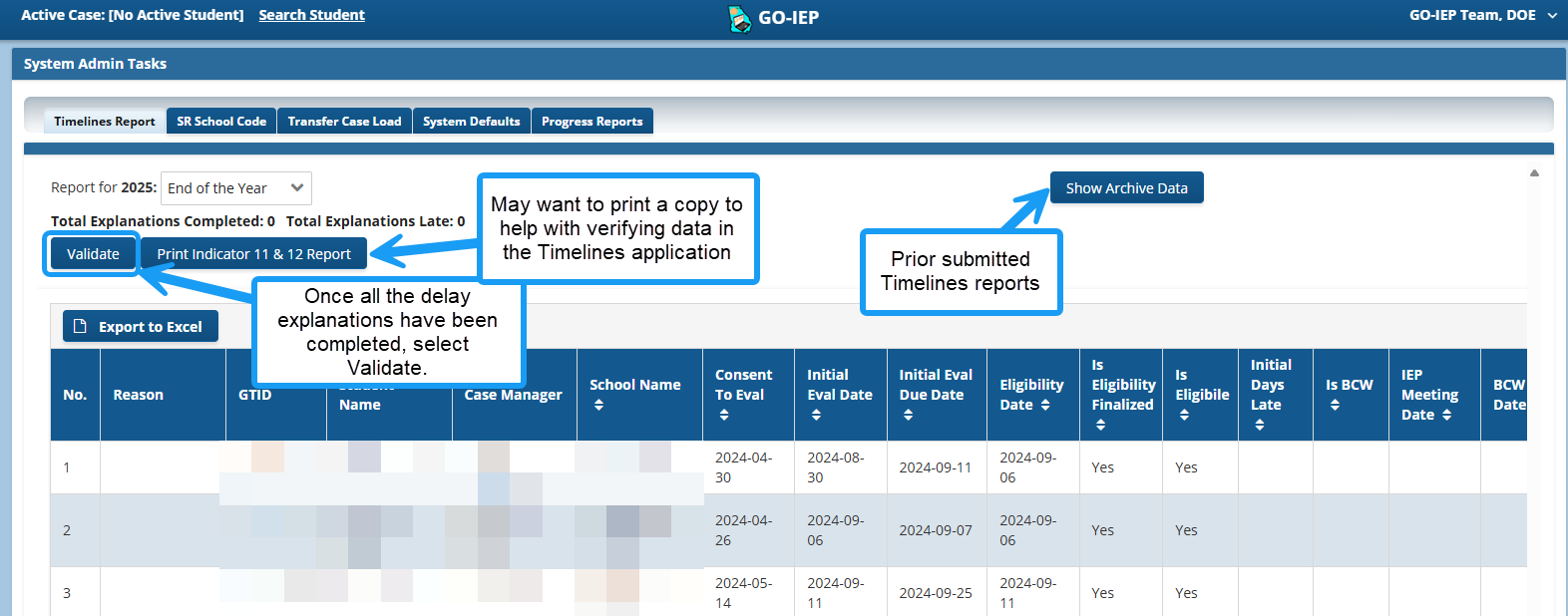
- Validate (May want to print draft report of Indicator 11 and 12)
Screenshot of the Validate Process
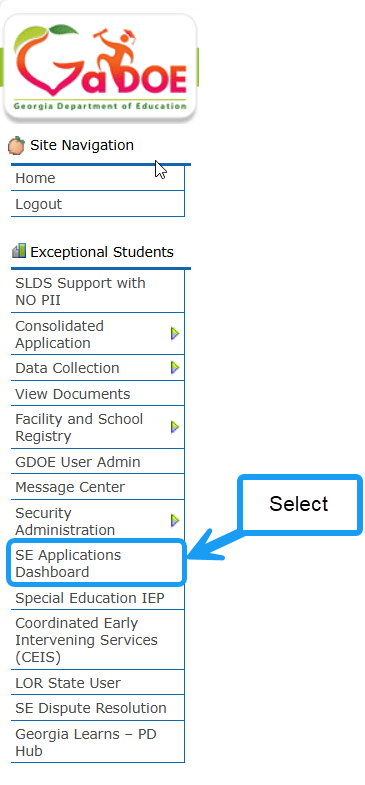
- Log into the GaDOE portal and enter the SE Applications Dashboard.
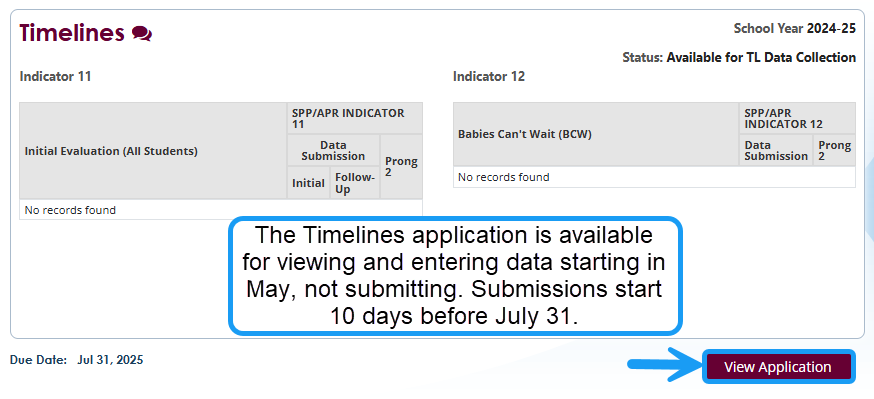
- Select Timelines application
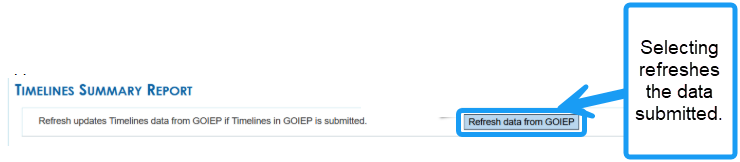
- After submitting data in GO-IEP, enter the Timeline application in the GaDOE portal. Update the Timelines Summary application by using the Refresh Data from GO-IEP button. Verify the accuracy of the data pulled into the application.
Screenshot of the Refresh data from GOIEP button inside of GO-IEP
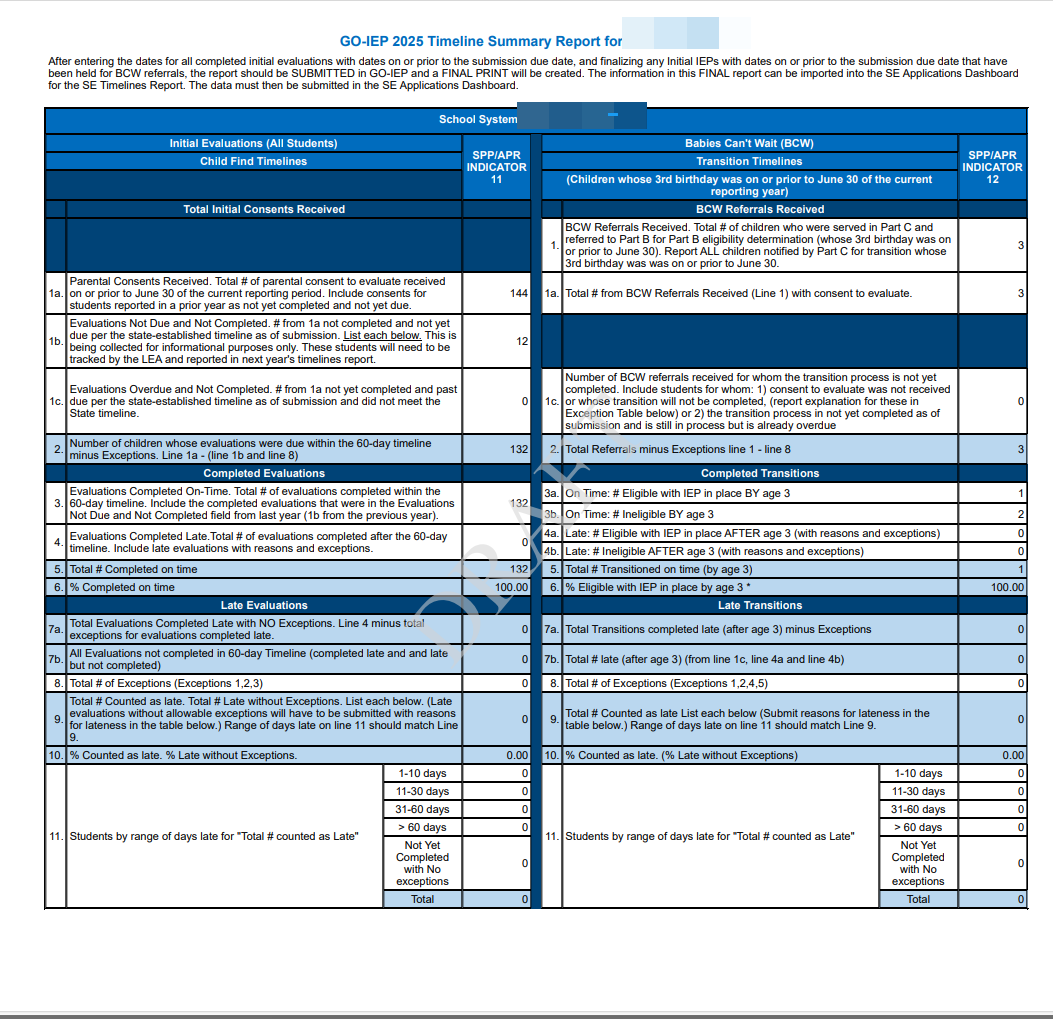
Screenshot of how to print a PDF of Indicator 11 & 12

Screenshot of PDF of the Timeline Reports in GO-IEP
- SUBMIT. Detailed directions are also located in the GO-IEP help manual.
Reminders:
- LEAs are encouraged to complete and report all evaluations with due dates before July 31.
- Timelines should be submitted once evaluations are completed and verified.
- Some evaluations may not be due until the following school year. Those evaluations are removed from the calculation and are reported the following year. GO-IEP keeps track of those evaluations for reporting purposes.
- Total number of Explanations Late needs to match Total Explanations Completed.
- If your LEA has completed initial evaluations outside of GO-IEP, you should not use the GO-IEP Timelines Report.
- Edits are included in the application to prevent inaccurate or incomplete data submissions.
Screenshot of Calculate & Save and the Submit button (add new screenshots)