Creating Support Tickets
The Create Support Ticket link allows program users to create two types of support tickets.
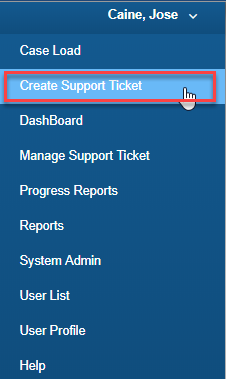
When the Create Support Ticket link is selected from the dashboard it will create a general support ticket. The general support ticket is not connected to a specific student. It should not be used for student specific questions or issues.
To complete the support ticket program users should select the appropriate option from the drop down menu for the module, support type and priority level. Then an explanation of the question or issue should be typed and then select save
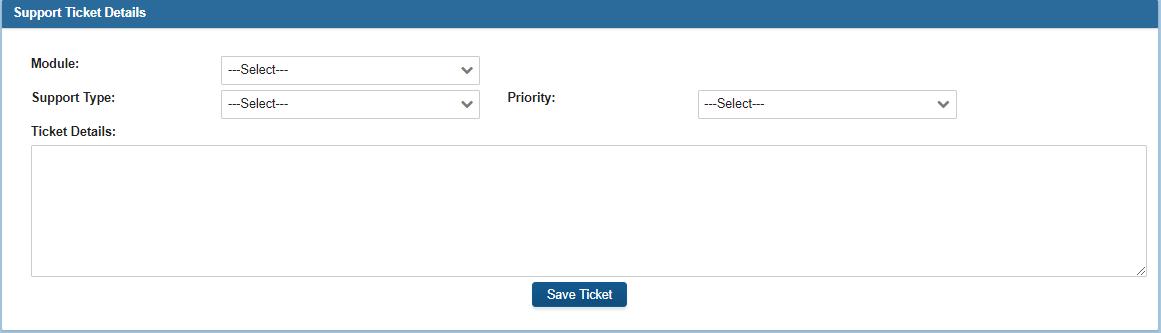
If a school admin or a teacher tries to create a ticket which is NOT a student ticket, they will get a message and be unable to do that. They must create student-specific tickets. Only system admins can create a GENERAL ticket regarding an issue which is not student-specific.
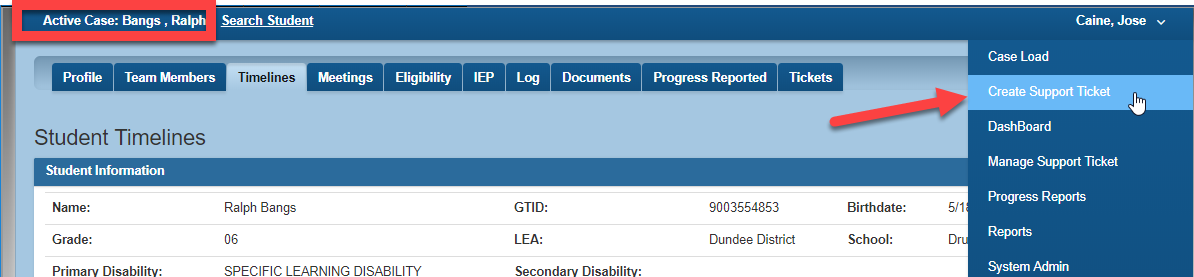
To create a student - specific support ticket, program users must select the "Create Support Ticket" link when they are in a student's electronic file. Below the image shows the active electronic file for Ralph Bangs.

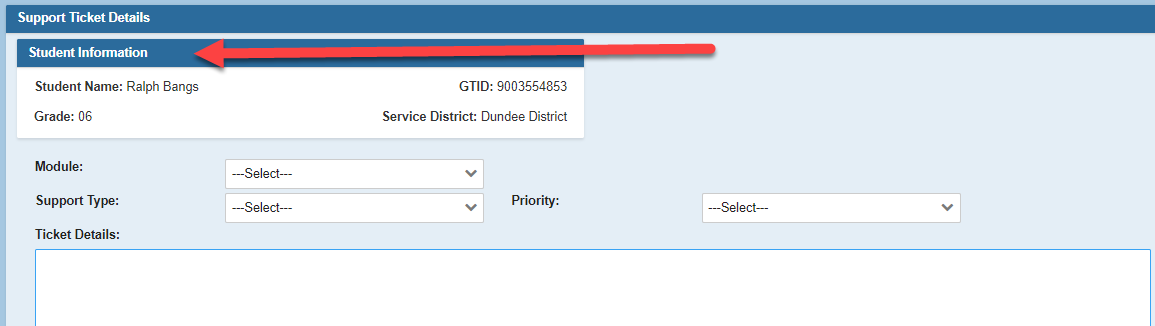
The ticket below was created using the "Create Support Ticket " link from within Ralph's electronic file so the ticket includes his student information.
NOTE: If any role in a district creates a support ticket and just saves the notes, but doesn’t complete an action (i.e. send the ticket to the next level), then the ticket does not appear on the student’s Tickets tab in the case.